Situation
This post is the cleaned-up version of the command list I actually accumulate while working. It is not meant to be a textbook. It is the kind of page I want open when I need to check disk usage, resize storage, inspect packages, review accounts and permissions, or get back to a safe Git state quickly.
Every example below is intentionally anonymized. Hostnames, usernames, domains, paths, and secrets use placeholders so the post stays safe to publish and still remains practical to reuse.
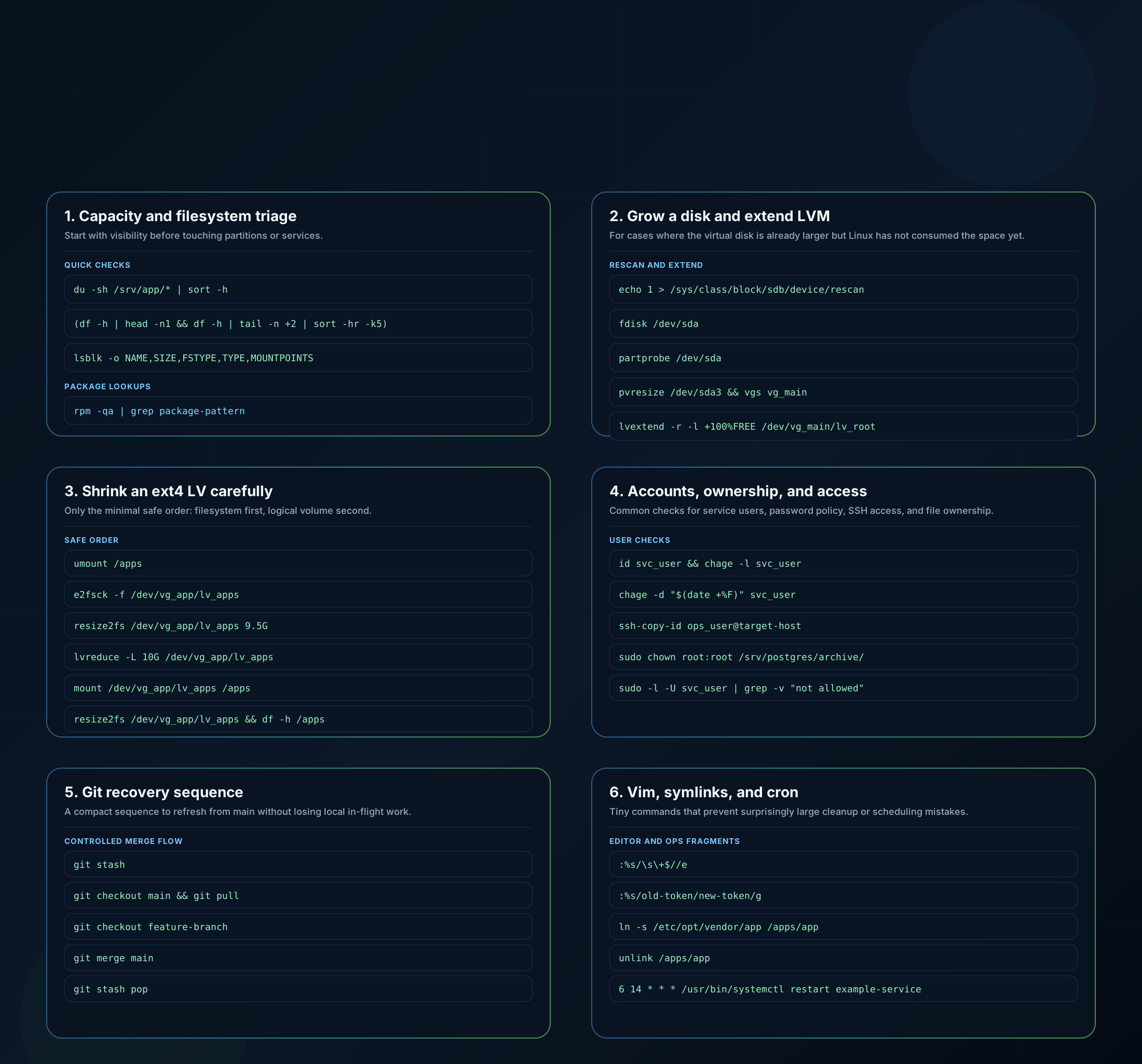
Coverage note
This article covers the Linux, storage, permissions, Git, Vim, and scheduler commands from my notes. I moved the Ansible Vault, Python virtualenv, dependency bootstrap, and Molecule loop into a companion post so both references stay practical to scan:
Ansible Vault, Python, and Molecule Snippets
Placeholder legend
I reuse the same placeholders throughout the examples:
target-host: any remote server namesvc_user: any service or automation accountapp.example.internal: an internal DNS name that is safe to publish/srv/app: a generic application pathvg_mainandlv_root: generic LVM names
1. Space, mounts, and quick copy tasks
When a system starts feeling tight, I usually begin with size, mount, and usage visibility before touching anything else.
du -sh /srv/app/* | sort -h

(df -h | head -n1 && df -h | tail -n +2 | sort -hr -k5)

lsblk -o NAME,SIZE,FSTYPE,TYPE,MOUNTPOINTS

rsync -avHSx /source/ /destination/
Useful follow-up checks:
rpm -qa | grep package-pattern
rpm -qc package-name
Parameter guide:
du -sh:-sshows one total per path and-hprints human-readable sizes.sort -h: sorts values like10M,2G, and900Kcorrectly.df -h: shows mounted filesystems and their usage in readable units.lsblk -o ...:-oselects the exact columns you want to inspect.rsync -avHSx:-apreserves attributes,-vis verbose,-Hpreserves hard links,-Shandles sparse files efficiently, and-xstays on one filesystem.rpm -qa | grep package-pattern: good when you only remember part of a package name.rpm -qc package-name: lists the configuration files owned by that package.
2. Expand a disk and grow LVM without rebooting
This is the sequence I keep close when the hypervisor disk is already larger and Linux still needs to catch up.
echo 1 > /sys/class/block/sdb/device/rescan

fdisk /dev/sda
cfdisk /dev/sda
partprobe /dev/sda

pvresize /dev/sda3
vgs vg_main
lvextend -r -l +100%FREE /dev/vg_main/lv_root
How I use the commands:
echo 1 > /sys/class/block/sdb/device/rescanasks the kernel to rescan that block device.- Use
fdisk /dev/sdawhen you are comfortable recreating the partition with the same start sector. - Use
cfdisk /dev/sdaif you prefer a more visual interactive editor. partprobe /dev/sdatells the kernel to reread the partition table without rebooting.pvresize /dev/sda3grows the physical volume after the partition is larger.vgs vg_mainconfirms the newly available free extents.lvextend -r -l +100%FREE /dev/vg_main/lv_rootconsumes all free extents and resizes the filesystem in the same step.
Safety rules I never skip:
- preserve the original start sector when recreating the partition
- answer
Niffdiskasks whether it should remove the LVM signature - treat
fdiskandcfdiskas alternatives, not a sequence - run
vgsbeforelvextendso you can see the free extents you are about to consume
Key parameters:
-ronlvextendresizes the filesystem together with the logical volume.-l +100%FREEmeans “use all free extents left in the volume group.”
3. Shrink an ext4 logical volume carefully
Shrinking is the opposite kind of task: possible, but unforgiving. I only keep the minimal safe sequence in the cheat sheet.
umount /apps
e2fsck -f /dev/vg_app/lv_apps
resize2fs /dev/vg_app/lv_apps 9.5G
lvreduce -L 10G /dev/vg_app/lv_apps
mount /dev/vg_app/lv_apps /apps
resize2fs /dev/vg_app/lv_apps
lvs /dev/vg_app/lv_apps
df -h /apps
Parameter guide:
e2fsck -f: forces a filesystem check before the resize.resize2fs ... 9.5G: shrinks the filesystem to a value safely below the final LV size.lvreduce -L 10G: sets the LV size to an exact final target.lvs /dev/vg_app/lv_apps: confirms the resulting LV size from the LVM layer.df -h /apps: confirms what the mounted filesystem now exposes to the OS.
The key idea is simple: shrink the filesystem first, shrink the LV second, then grow the filesystem to fill the final LV size exactly.
4. Accounts, permissions, and audit fragments
These are the account and ownership commands I reuse the most when checking service users or preparing secure access.
id svc_user
chage -l svc_user
chage -d "$(date +%F)" svc_user
chage -m 7 -M 99999 -I -1 -E -1 svc_user

ssh-copy-id ops_user@target-host

sudo chown root:root /srv/postgres/archive/
groups svc_user
find / -maxdepth 2 -type d \( -user svc_user -o -group svc_user \) -ls 2>/dev/null
sudo -l -U svc_user | grep -v "not allowed"
getent passwd svc_user | awk -F: '{print "Home: "$6" | Shell: "$7}'
Parameter guide:
id svc_user: confirms the account exists and shows its UID, primary GID, and supplementary groups.chage -l svc_user: shows password aging and expiry settings.chage -d "$(date +%F)" svc_user: sets the last password change date to today so the password can be forced to expire immediately.chage -m 7 -M 99999 -I -1 -E -1 svc_user:-mis minimum days,-Mis maximum days,-Iis inactivity, and-Eis account expiry.ssh-copy-id ops_user@target-host: installs your public key on the remote host for that account.chown root:root: sets both owner and group toroot.find / -maxdepth 2 -type d ... -ls: limits recursion depth, returns only directories, and prints the long listing directly.sudo -l -U svc_user: shows sudo permissions for that user.getent passwd svc_user: pulls the effective account record from the configured identity sources.
These fragments are also the backbone of the larger permission-audit script pattern: group lookup, owned directories, sudo visibility, and account metadata.
5. Certificates, Vim cleanup, and symlinks
This is the cluster I reach for when I need to create a sanitized CSR, remove editor noise, or correct a symbolic link quickly.
openssl req -new -newkey rsa:2048 -nodes \
  -keyout files/target-host/tls.key \
  -out files/target-host/tls.csr \
  -subj "/C=DE/ST=State/L=City/O=Example Corp/OU=Platform/CN=app.example.internal" \
-addext "subjectAltName = DNS:app.example.internal,DNS:target-host.example.internal,DNS:target-host":%s/\s\+$//e
:%s/old-token/new-token/gln -s /etc/opt/vendor/app /apps/app
unlink /apps/appParameter guide:
openssl req -new: generates a new certificate signing request.-newkey rsa:2048: creates a new 2048-bit RSA private key alongside the CSR.-nodes: keeps the key unencrypted so automated services can use it without a passphrase prompt.-subj: sets the subject fields non-interactively.-addext: injects SAN entries directly from the command line.:%s/\s\+$//e: removes trailing whitespace;esuppresses the “pattern not found” error.:%s/old-token/new-token/g: replaces every occurrence in the file, not just the first match per line.ln -s: creates a symbolic link.unlink: removes the link itself without recursively deleting the destination.
6. Git safety workflow
I do not need a full Git tutorial during an incident or before a merge. I need the smallest safe sequence.
git stash
git checkout main
git pull
git checkout feature-branch
git merge main
git stash pop
Why I keep the sequence exactly like this:
git stashprotects local uncommitted work before switching context.git checkout mainandgit pullrefresh the branch you are using as the merge source.git checkout feature-branchbrings you back to the branch that needs the update.git merge mainsurfaces the conflict in a controlled place.git stash poprestores the in-flight local work after the branch is up to date.
7. Cron and small operational reminders
I keep scheduler examples in the same page because they are easy to forget and easy to mistype.
crontab -u svc_user -e
crontab -u svc_user -l
6 14 * * * /usr/bin/systemctl restart example-serviceParameter guide:
crontab -u svc_user -e: edits the crontab for that specific user.crontab -u svc_user -l: lists the current entries for the same user.6 14 * * *: minute 6, hour 14, every day of the month, every month, every day of the week.
Result
This is the kind of post I wish I had for every team: short, reusable, and based on commands that survived real work instead of being copied from generic cheat sheets.
Most importantly, it is safe to publish. Every example here is sanitized, and the poster is meant to be easy to share internally or externally without leaking anything real.
For the automation-side commands from the same notes, the companion reference is here: